

Revit project setup: what to fix before the first wall
The five things I set up in every Revit template before the first wall, and why a bad setup shows up six months later as a slow team.

Nobody gets paid for the first half hour of a project. That is exactly why it costs so much later.
Levels, grids, a template that somebody actually owns. Boring work. Nothing comes out of it that you can show a client. So it gets done fast, by whoever opened the file first, usually with the last project's settings still sitting inside it.
Six months later the same office is fixing view templates by hand across forty sheets, renaming families nobody can find, and arguing about which level is the real ground floor.
I watched this happen, and the pattern never changed. The teams that bled hours were not the slow modelers. They were the ones who inherited a file that nobody had set up on purpose.
The uncomfortable part is that a bad setup never arrives labeled as a setup problem. It arrives as your team being slow in month six. And that is who gets blamed.
Revit does not reward speed at the beginning. It charges interest.
So here is what I fix in my template before I draw a single wall.
1. Levels and grids
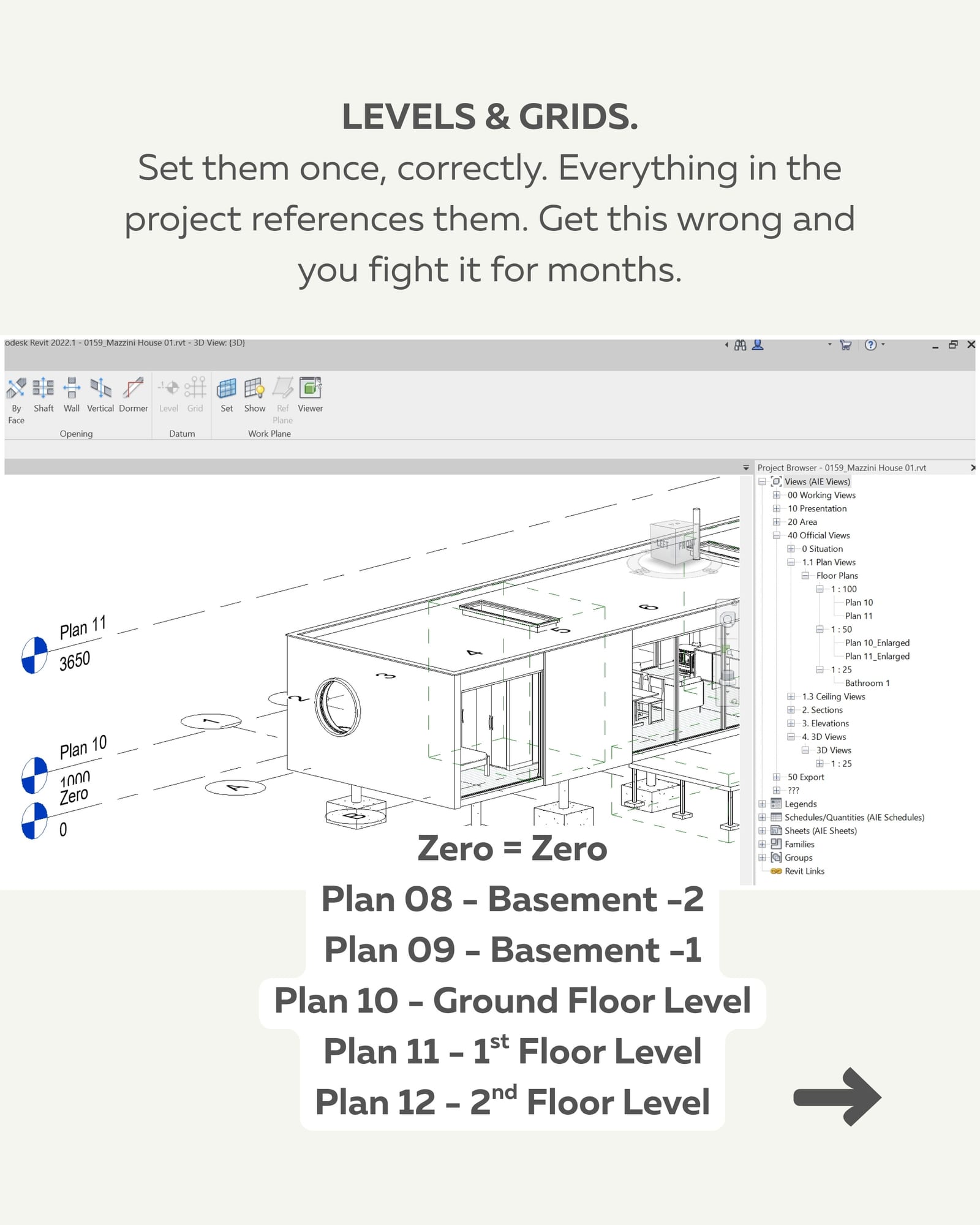
Set them once, correctly. Everything in the project references them. Get this wrong and you fight it for months.
My rule is simple. Zero is zero. And every plan gets a number that sorts in the order of the building: Plan 08 for the second basement, Plan 09 for the first basement, Plan 10 for the ground floor, Plan 11 for the first floor, and so on. Nobody has to ask which level is the real ground floor, and the browser lists the building from the bottom up.
2. Browser organization
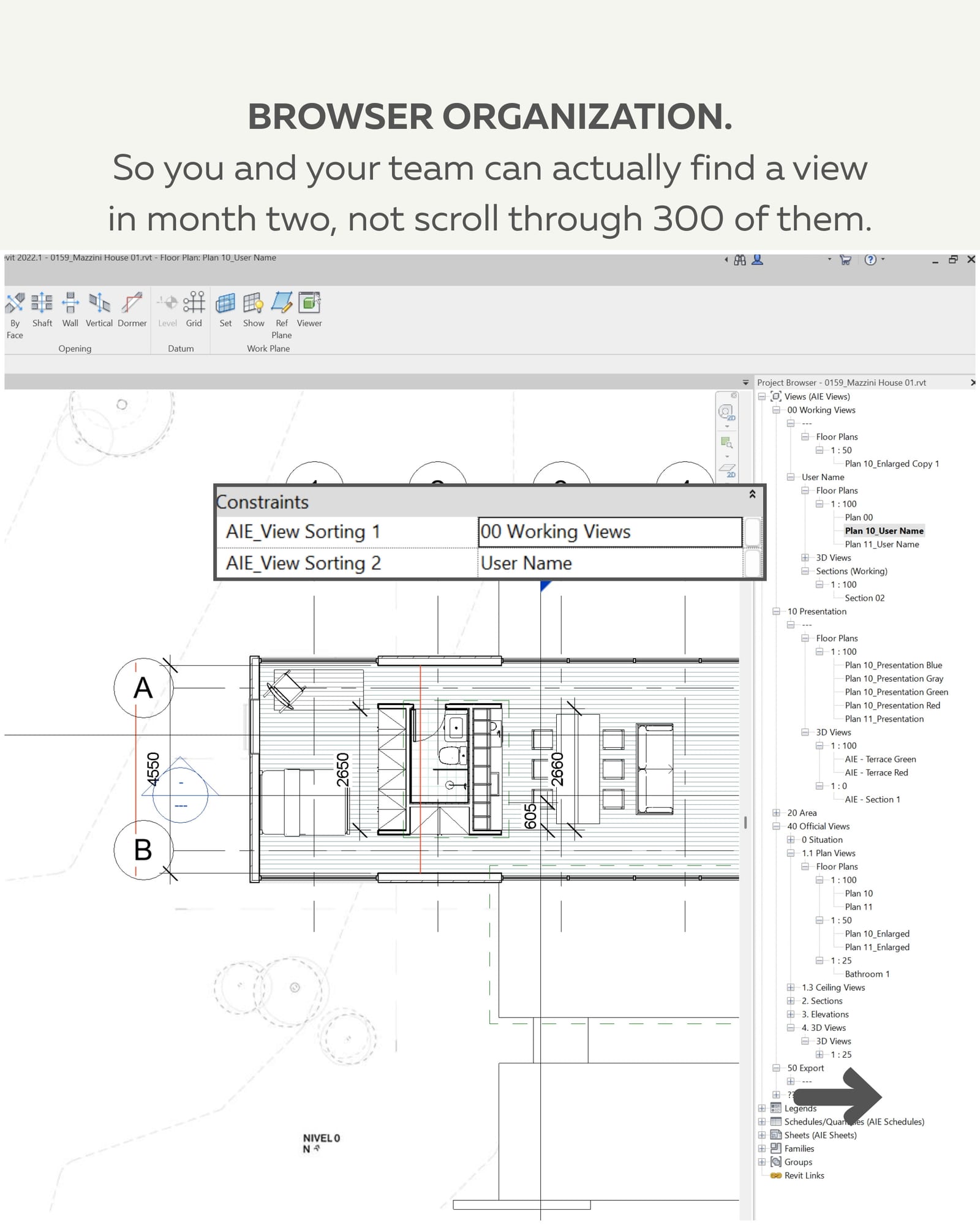
So you and your team can actually find a view in month two, instead of scrolling through 300 of them.
In my template every view carries two sorting parameters. The first says what the view is for. Working views sit in their own group, apart from the views that go on sheets. The second says whose view it is. When four people work in one file, everyone's working views stay out of everyone else's way, and the views that end up on sheets stay clean.
3. View templates
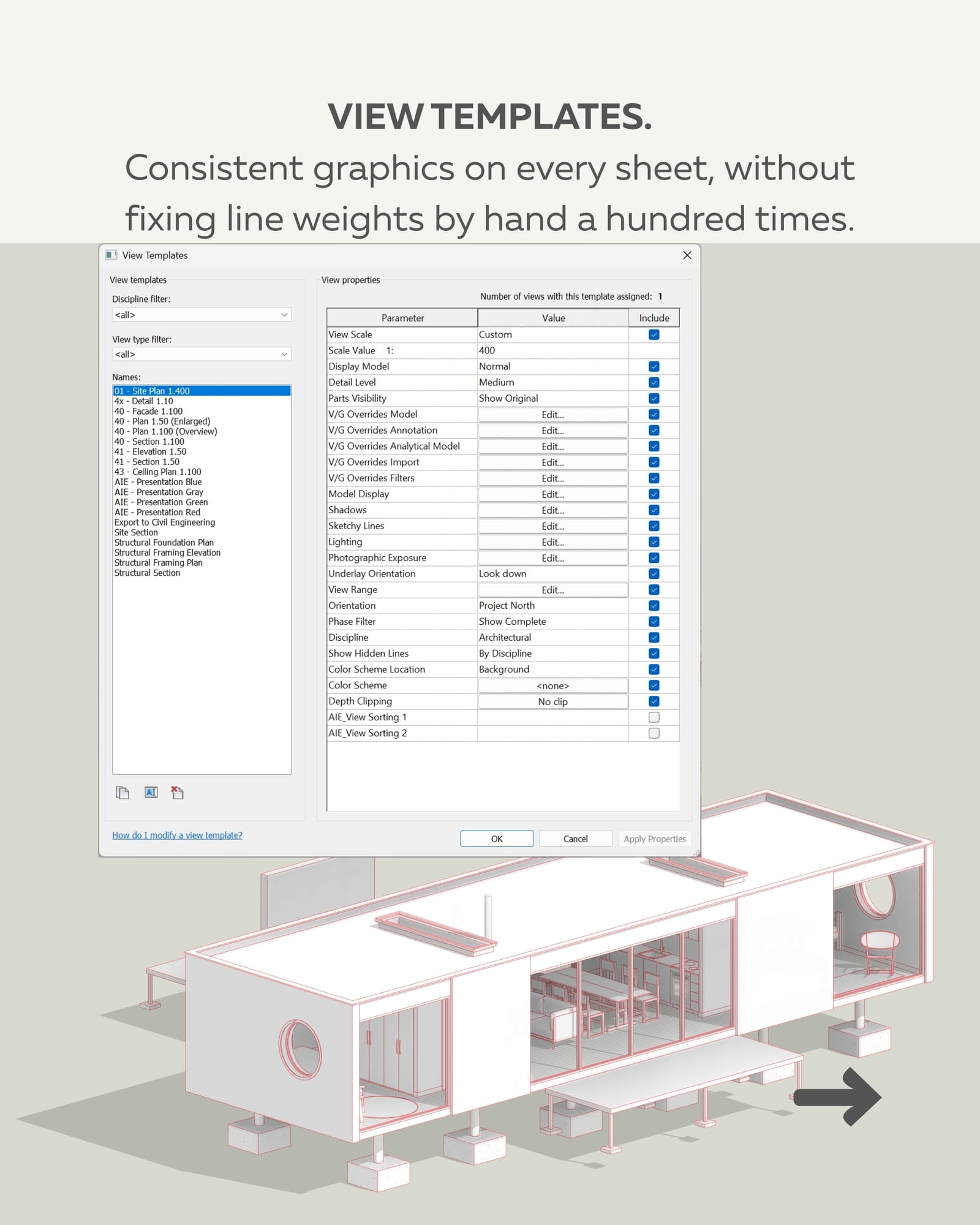
Consistent graphics on every sheet, without fixing line weights by hand a hundred times.
A view template is where the office decides once what a plan at 1:100 looks like, what a section shows, and what a presentation plan hides. Without them, every view is set by hand, every sheet looks slightly different, and every change means opening forty views.
4. Object styles and line weights
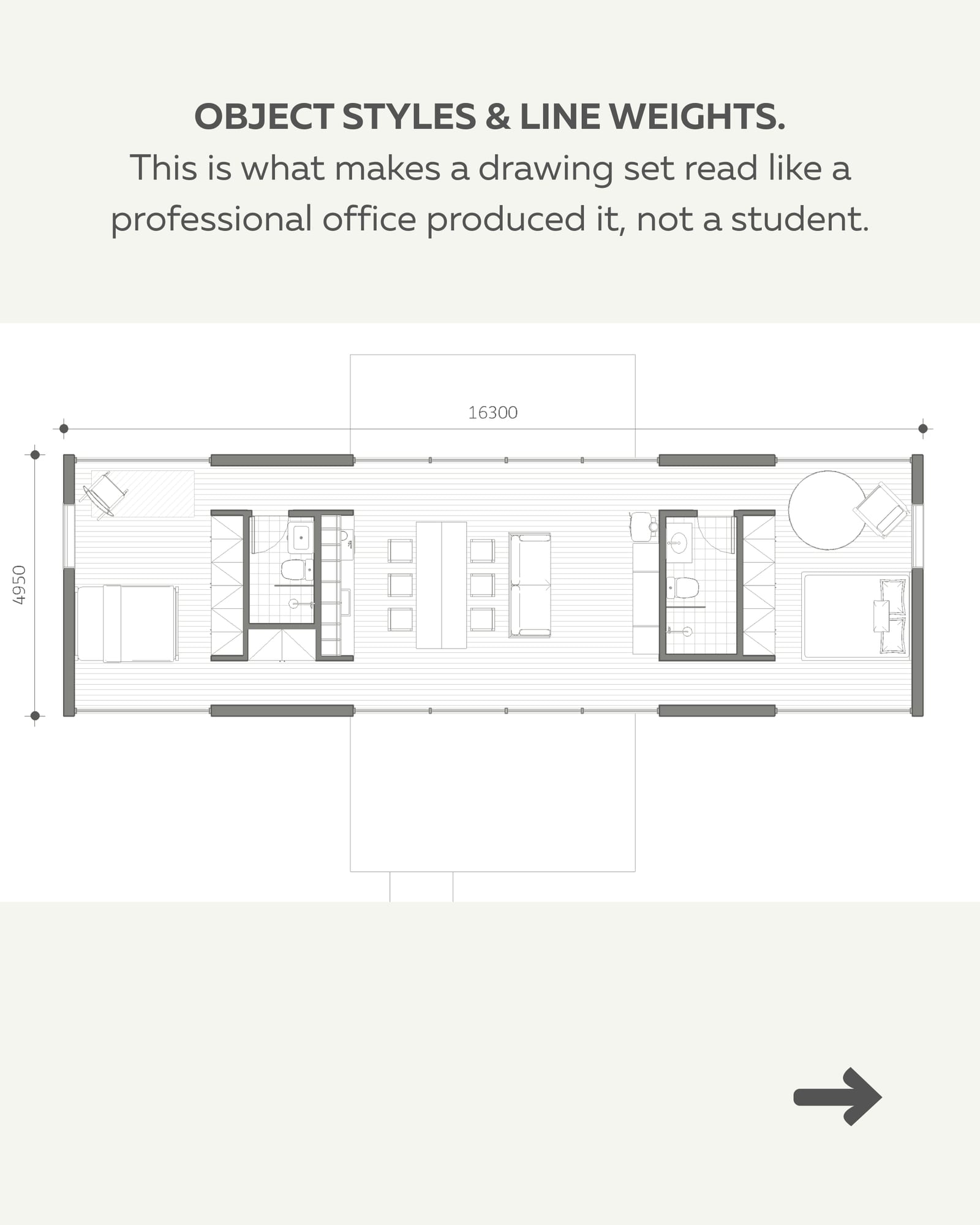
This is what makes a drawing set read like a professional office produced it, not a student.
Most people never open Object Styles. They accept the defaults and then try to fix the drawings with overrides, one view at a time. Set the line weights by category once, so cut lines, projection lines and the things beyond each have a clear weight, and the drawings start to read correctly before you touch a single view.
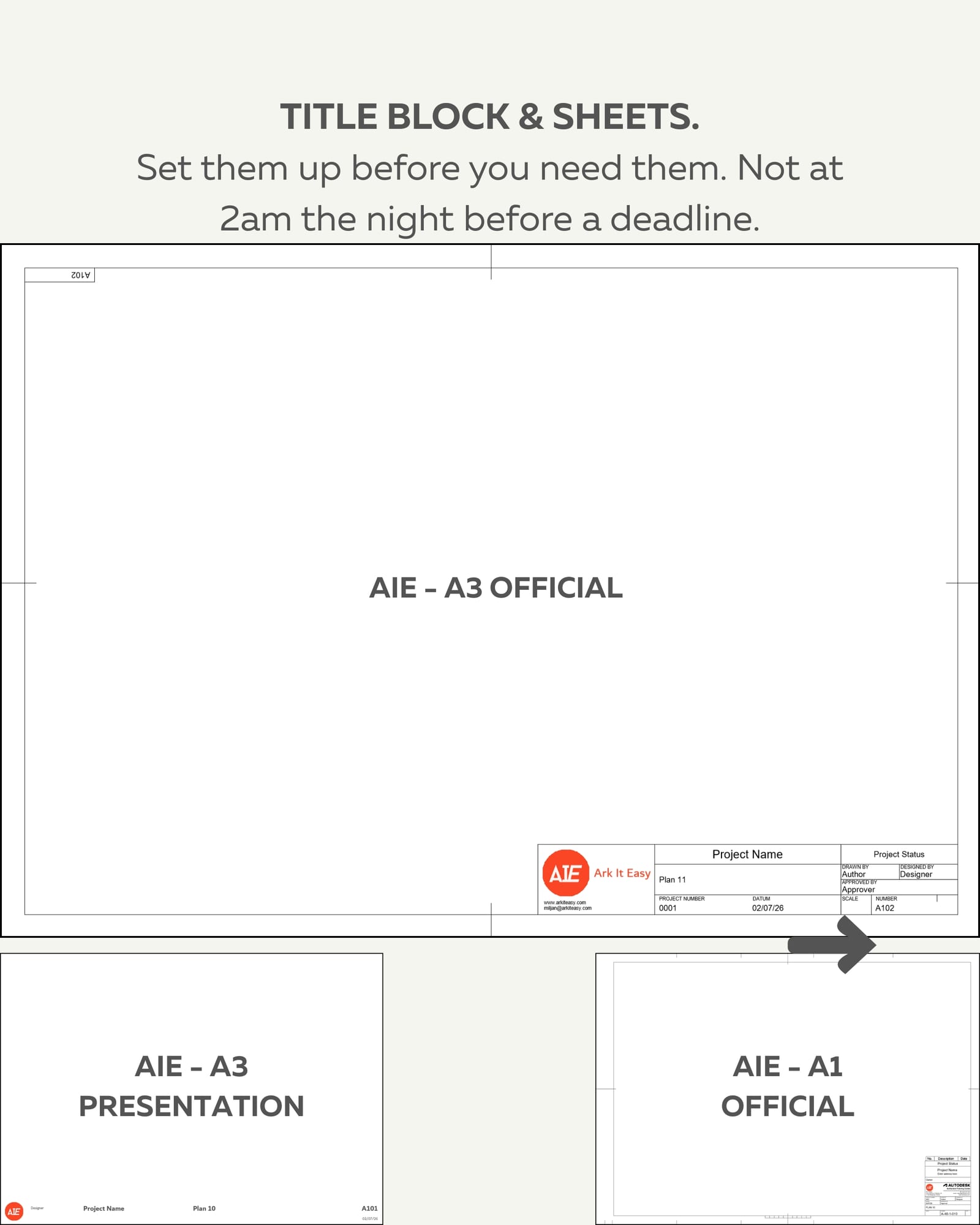
5. Title blocks and sheets
Set them up before you need them. Not at 2am the night before a deadline.
My template has the sheet sizes and types an office actually issues, an official A3, a presentation A3 and an official A1, with the project information filled in once and read by every sheet.
Your template is your foundation. Built once, reused on every project after it.
Who owns the template
A template only works if one person owns it. Not the person who opened the last project, not everyone a little. One owner, who decides what goes in, updates it for each new Revit version, and says no to the shortcut someone added on a deadline.
In a small office that is often the partner who cares most. In a larger one it is the BIM lead. Either way, "a template that somebody actually owns" is the part that makes the other five last.
What people pushed back on
The most useful objection I have heard is that you need all of Revit, not just a careful core. I agree with half of it. The full toolset should be available, so the option exists the day a project needs it. But availability and use are two different decisions. A good template keeps everything within reach and only shows what the project needs by default. That is the difference between a template that helps and one that overwhelms.
What to do on your next project
Before the first wall, give yourself thirty minutes and check five things:
- One level at zero, and plan names that sort in the order of the building.
- Two sorting parameters in the browser: what the view is for, and whose it is.
- A view template for every drawing type you will issue.
- Line weights set in Object Styles, not in view overrides.
- The title blocks and sheet types you will actually issue, with project information filled in once.
Questions
What should a Revit template include?
At minimum: levels and grids, browser organization, view templates for every drawing type, object styles and line weights, and the title blocks and sheets the office issues.
How should I name levels in Revit?
Give every plan a number that sorts in the order of the building, with one clear level at zero. Then the browser lists the building from the bottom up and nobody argues about which level is the ground floor.
Should every project start from the same template?
Yes, from the office template, owned by one person and updated for each Revit version. Starting from the last project brings its mistakes into the new one.