
Free Revit plugin · AIE Lite
AIE Lite: a free Revit plugin with three everyday tools
Colors by parameter values, a clean reset of view overrides, and transfers between projects. Free for Revit 2025 and 2026. Your license key arrives by email.
Get a free keyWhat AIE Lite does
| Tool | Description |
|---|---|
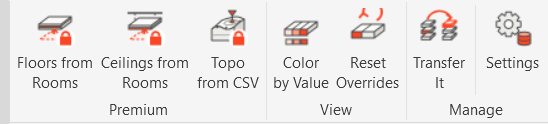
| Color by Value | Colors the elements in the active view by any parameter value, with a legend and element counts before you apply. Only the view changes, never the model. |
| Reset Overrides | Clears the colors and graphic overrides of elements in the active view, for example after Color by Value. |
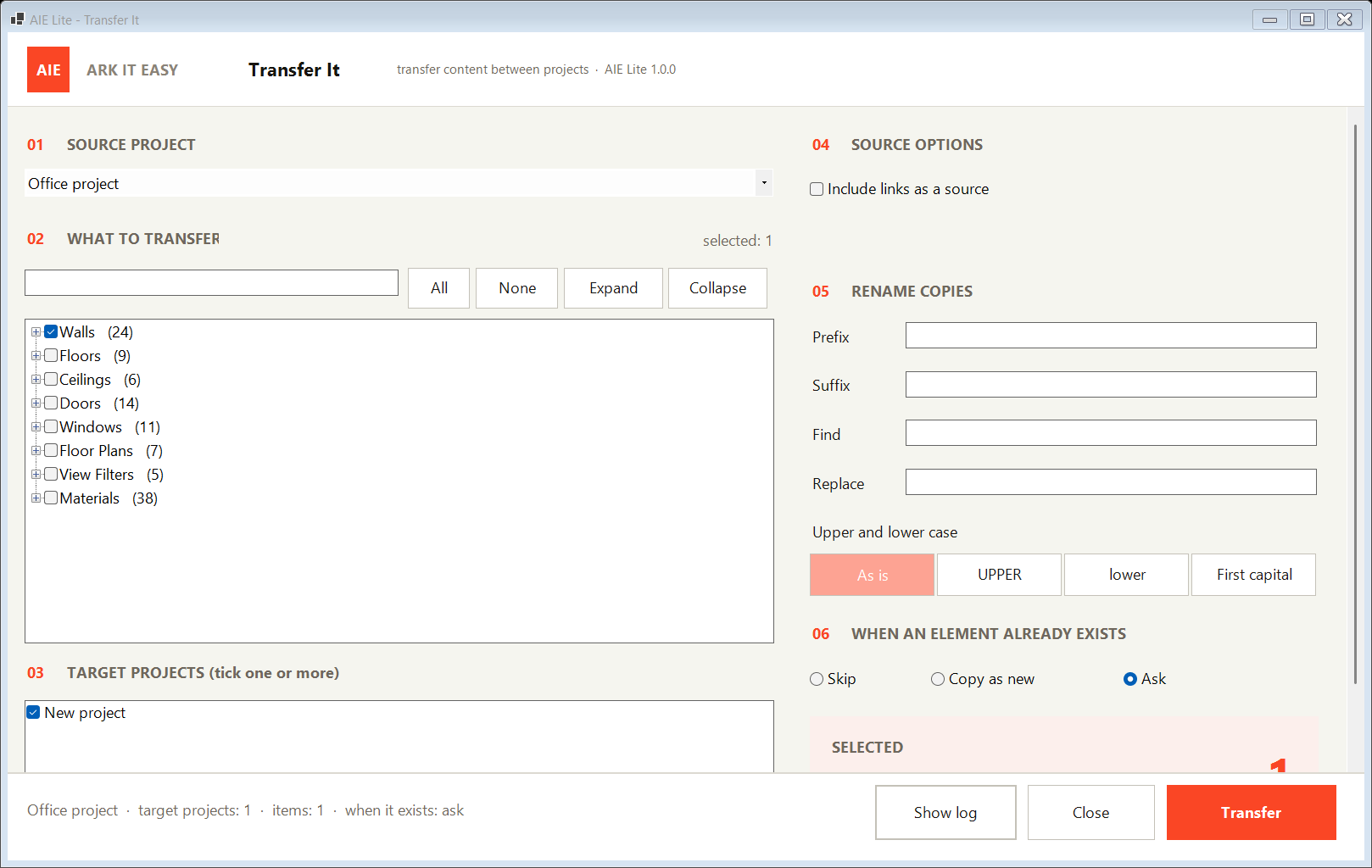
| Transfer It | Copies types, views, view templates, parameters, filters and fill patterns from one open project to one or more others. |
Requirements
- Windows 10 or 11
- Autodesk Revit 2025 or 2026 (for 2026, the latest update from Autodesk Access, not the first 26.0.x release)
- pyRevit 6.5.x, free from github.com/pyrevitlabs/pyRevit/releases; start Revit once after installing it
- A free AIE Lite license key, sent by email after signup
Get your free key
Your key and download link arrive by email. The key is valid for 365 days, and renewing it is free.
Needs Revit 2025 or 2026 on Windows and the free pyRevit 6.5.x.
Install in a few minutes
- 1 Download AIE Lite with the link in your email (it works for 7 days; request it again for a new one).
- 2 Unpack the ZIP anywhere, for example in Downloads.
- 3 Close every Revit window.
- 4 Double-click Install-AIE.cmd. It ends with "[OK] Done". If Windows SmartScreen asks, choose More info, then Run anyway.
- 5 Start Revit and open the AIE Lite tab. The first start takes a little longer.
- 6 Open Manage > Settings, paste your key under License and press Check.
- 7 Updates come through Manage > Settings > Version.
No administrator rights needed; nothing outside pyRevit's extension folder is changed. Uninstall: close Revit and run Uninstall-AIE.cmd.
Want every tool?
The Premium panel in AIE Lite shows the three tools of AIE Tools (Premium): Floors from Rooms, Ceilings from Rooms and Topo from CSV. AIE Tools comes with Ark It Easy Premium.
AIE Learn
The Learn button in the AIE plugin finds the lessons that answer your question.
- Ask a question in any language. You get up to 5 lessons, each with the minute where the answer starts.
- Lessons open on Skool from the start; skip to the minute shown.
- With the free AIE Lite, Premium lessons are shown locked, with a link to Premium.
- Up to 30 questions per hour per license.
- Questions are saved without your name or email address, to improve the lessons. See the Privacy Policy.
Questions
Is AIE Lite really free?
Yes. The key is free, valid for 365 days, and you can renew it for free.
Which Revit versions does it support?
Revit 2025 and 2026, on Windows 10 or 11, with pyRevit 6.5.x.
Do I need administrator rights?
No. AIE Lite changes nothing outside pyRevit's extension folder.
What emails will I get?
Your license key, always. Emails about AIE and Revit learning only if you tick the box. You can unsubscribe at any time, and your key keeps working.